
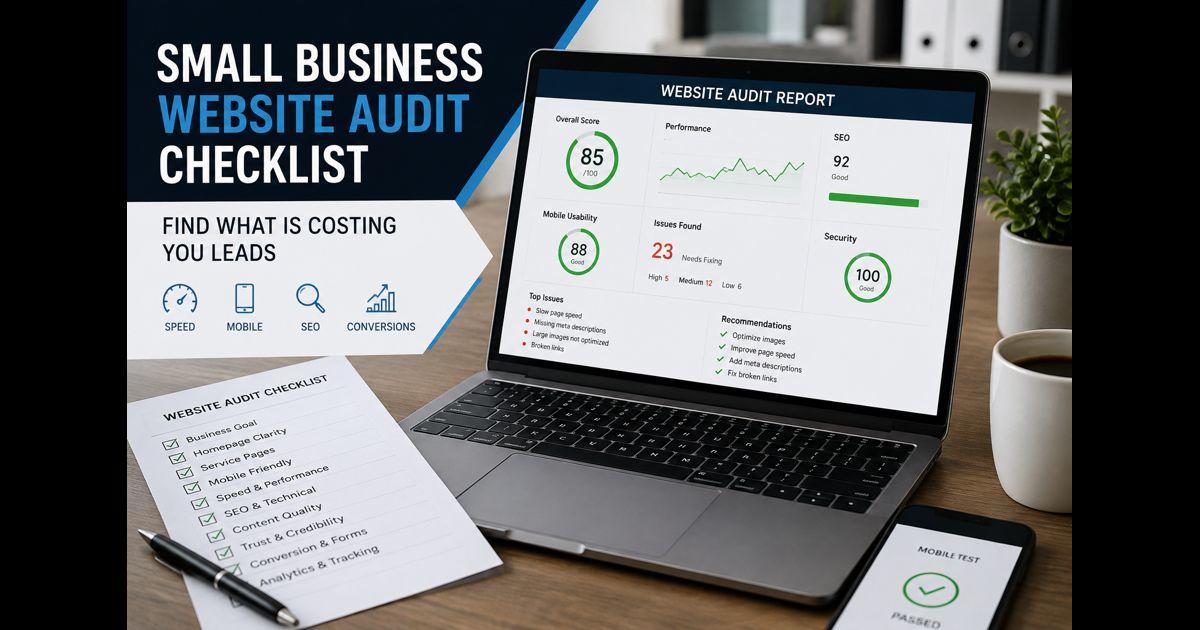
A small business website audit checklist helps you find the practical issues that stop a website from attracting the right visitors, earning trust, and turning interest into enquiries or sales.
A website does not need to be visually outdated to underperform. A slow mobile page, an unclear service description, a missing contact detail, or a form that fails without explanation can quietly cost a business opportunities. The purpose of an audit is to identify those issues, decide which ones matter most, and fix them in a sensible order.
Use this checklist at least every six months, and after a redesign, platform migration, major service change, or unexplained drop in leads.
Start With a Clear Business Goal
Before checking individual pages, define what the website is supposed to achieve. A website cannot be assessed properly without knowing its job.
For a local service business, the primary action may be a phone call or quote request. For an online store, it may be a completed purchase. A consultant may need qualified discovery-call bookings, while a software company may want demo requests.
Write down:
- The most valuable visitor action.
- The pages that should lead visitors to that action.
- The audience each important page is intended to help.
- The information a visitor needs before taking the next step.
This prevents a common audit mistake: improving traffic or design details without improving the business outcome.
Check Whether Visitors Understand the Homepage Quickly
A visitor should be able to understand what the business does, who it helps, and what to do next without scrolling through vague claims.
Review the first section of the homepage and ask:
- Does the main heading describe the actual service or product?
- Is the intended customer clear?
- Is there one visible next step, such as “Request a Quote,” “Book a Consultation,” or “View Products”?
- Does the page avoid generic claims such as “innovative solutions” unless it explains what they mean?
- Are phone, email, location, or other appropriate contact options easy to find?
- Is the page readable on a mobile screen without excessive scrolling or zooming?
A strong homepage gives visitors a clear route to the relevant service, category, or contact page. It should not force them to guess where essential information is located.
Review Service Pages for Clarity and Proof
Every important service should have its own useful page. Sending every visitor to a short general services page makes it harder for people and search engines to understand the business’s expertise.
For each service page, check that it includes:
- A specific heading that matches the service.
- A plain explanation of the problem the service solves.
- Who the service is for.
- What is included and what is not included.
- A clear process or expected next step.
- Evidence such as relevant work examples, testimonials, credentials, case-study details, or realistic outcomes.
- A contact option that matches the service.
For example, a business that offers website development solutions should explain whether it builds brochure websites, ecommerce stores, landing pages, or ongoing website support. Visitors should not have to contact the business simply to learn the basics.
Avoid copying the same paragraphs across several service pages. Each page needs a distinct purpose and enough original detail to deserve its own place on the site.
Test the Website on a Phone
Many small-business visitors arrive from mobile search, social media, maps, or messaging apps. A website that looks acceptable on a large desktop screen can still be difficult to use on a phone.
Open the key pages on a real mobile device and check:
- The main text can be read comfortably.
- Navigation opens and closes correctly.
- Buttons are easy to tap and do not sit too close together.
- Pop-ups do not cover the main content or prevent access.
- Forms are short enough to complete on a phone.
- Phone numbers, email addresses, and maps work when tapped.
- Images do not push important information far down the page.
Also complete the main conversion action yourself. Send a test enquiry, make a test booking, or progress through checkout. Never assume that a form or payment flow works just because it appears on the page.
Check Speed and Visual Stability
Page speed is not only a technical issue. Visitors can leave before seeing an offer when a page loads slowly, shifts as images appear, or delays a button after it is tapped.
Use Google Search Console and PageSpeed Insights to identify pages that need attention. Prioritize pages that receive traffic or are central to leads and sales.
Look for common issues:
- Uncompressed or unnecessarily large images.
- Video backgrounds that delay the main content.
- Too many plugins, scripts, and tracking tags.
- Fonts that load slowly or cause text to move.
- Large banners that push buttons down after the page first appears.
- Broken resources or redirects that add delay.
A perfect test score is not the objective. The priority is a page that loads reliably, responds clearly, and lets a visitor complete a task without frustration.
Make Navigation and Internal Links Useful
Good navigation helps visitors move from a broad question to the exact information they need. Keep the main menu simple and use labels that describe real destinations.
Check that:
- The menu includes only the pages most visitors need.
- Service names are understandable without insider terminology.
- Important pages are reachable in a few clicks.
- There are no broken links or pages that lead to an error.
- Each article links naturally to the most relevant service or supporting guide.
- Old pages that are no longer useful are updated, redirected, or removed from navigation.
Internal links should help the reader continue naturally. An article about improving lead generation may reasonably refer readers to digital marketing services when it discusses how paid, organic, and content channels can work together. The link should add value in the sentence; it should not be inserted repeatedly just to influence rankings.
Audit Content for Accuracy, Relevance, and Trust
List all published pages in a spreadsheet. Include the URL, title, purpose, last update date, traffic, conversions, and the action needed.
Then classify each page:
- Keep: Still accurate, helpful, and relevant.
- Update: Useful topic, but facts, examples, links, or structure need improvement.
- Combine: Several pages answer the same question and should become one stronger page.
- Redirect or remove: Outdated, thin, duplicate, unsupported, or off-topic content.
A small site gains more from a focused library of genuinely useful pages than from publishing broad articles on unrelated subjects. Content should match the business’s actual knowledge and services.
For Zavalioo, the strongest long-term direction is practical digital-business information: websites, ecommerce, marketing, brand clarity, and measurement. The digital business and technology guide provides a natural foundation for that editorial focus.
Check Search Appearance Basics
Search performance begins with pages that search engines can understand and visitors want to click.
For every priority page, review:
- One clear page title that describes the topic.
- One H1 that matches the page’s purpose.
- A useful meta description that sets accurate expectations.
- A descriptive URL, not a random string of words.
- Headings that organize the page logically.
- Image alt text that explains meaningful images.
- Canonical settings that avoid duplicate versions of the same page.
- An indexable page that is not blocked accidentally.
- A sitemap submitted through Search Console.
Do not use the same title, meta description, or opening paragraph across multiple pages. Search engines need a clear reason to show each URL separately.
Review Local Trust Signals Where Relevant
A business serving a particular area should make its real-world details consistent and easy to verify.
Check that the website shows:
- The correct business name.
- Current phone number and email address.
- Service area or physical address where appropriate.
- Accurate opening hours if customers may visit or call.
- A contact page with clear ways to get in touch.
- Privacy and terms pages that match how the site collects information.
- Genuine testimonials or client examples, with permission where needed.
Do not create location pages for places the business does not genuinely serve. A small number of detailed, useful local pages is safer and more credible than dozens of near-identical city pages.
Check Accessibility and Form Usability
Accessibility improves usability for everyone, including visitors using a keyboard, screen reader, small screen, or poor connection.
Review the basics:
- Text has enough contrast against its background.
- Images that communicate information have useful alternative text.
- Headings follow a clear order.
- Form fields have visible labels, not only placeholder text.
- Error messages explain what needs to be fixed.
- Buttons say what they do.
- Visitors can use important controls with a keyboard.
Forms deserve special attention. Ask only for information needed to respond to the enquiry. Long, confusing forms create unnecessary drop-off.
Measure the Right Numbers After Fixes
An audit is only valuable when changes are measured. Record a baseline before making major changes, then review results after enough time has passed.
Track the metrics that relate to the business goal:
- Organic impressions and clicks.
- Search click-through rate for priority pages.
- Enquiries, calls, bookings, or sales.
- Conversion rate by page and device.
- Form errors or abandoned checkouts.
- Engagement with key calls to action.
- Pages that lose traffic after a change.
Do not treat rankings alone as success. A page that attracts fewer but better-qualified visitors can be more valuable than one that receives broad, irrelevant traffic.
Small Business Website Audit Checklist Summary
A practical audit should leave you with a short, ordered action plan:
- Fix issues that stop visitors from contacting or buying.
- Improve the pages that matter most to leads and revenue.
- Update or consolidate overlapping and outdated content.
- Strengthen mobile usability, speed, navigation, and trust signals.
- Measure whether the changes improve real business outcomes.
The best small-business websites make it easy for people to understand an offer, verify the business, and take the next step. Regular auditing protects that clarity as the business, its customers, and the web continue to change.
Frequently Asked Questions
How often should a small business audit its website?
A basic audit every six months is a sensible minimum. Review key pages sooner after a redesign, service change, drop in enquiries, technical issue, or major marketing campaign.
What should be fixed first in a website audit?
Start with issues that prevent visitors from completing the most valuable action, such as broken contact forms, incorrect contact details, checkout errors, major mobile problems, or pages that fail to explain the offer.
Can a website audit improve SEO?
Yes, when it improves content quality, crawlability, page clarity, internal links, mobile usability, and page experience. It cannot guarantee rankings, because relevance and competition also matter.
Do I need to delete old website content?
Not always. Keep and update pages that remain useful. Combine overlapping pages, and redirect or remove content that is inaccurate, thin, duplicated, or unrelated to the site’s genuine focus.


Pingback: Zavalio Com: A Simple Guide to Its Features and Services